

Cart
Your shopping cart is empty!
It's never too late to fix it :)

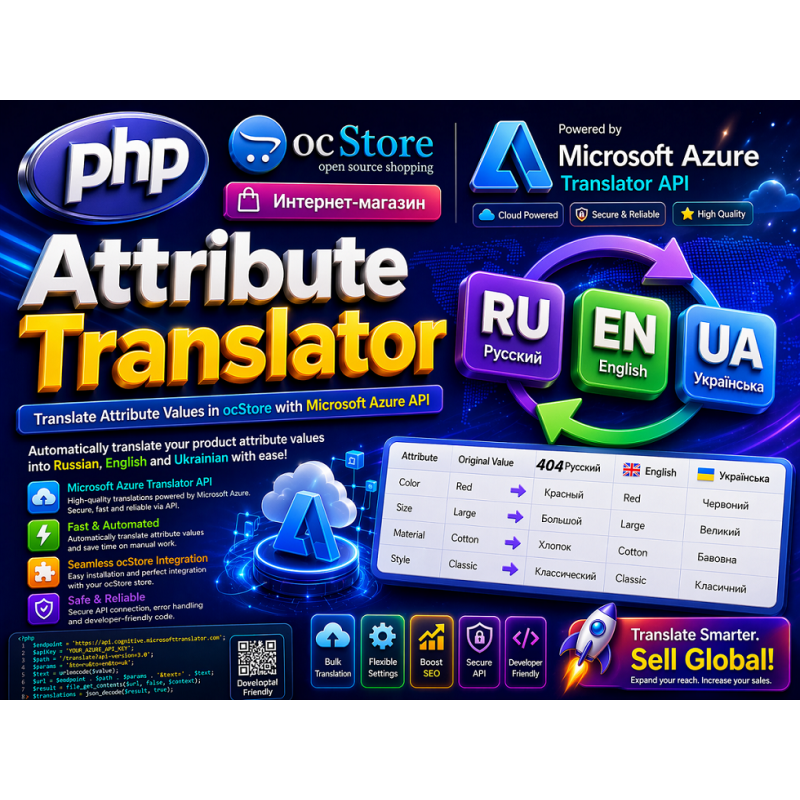
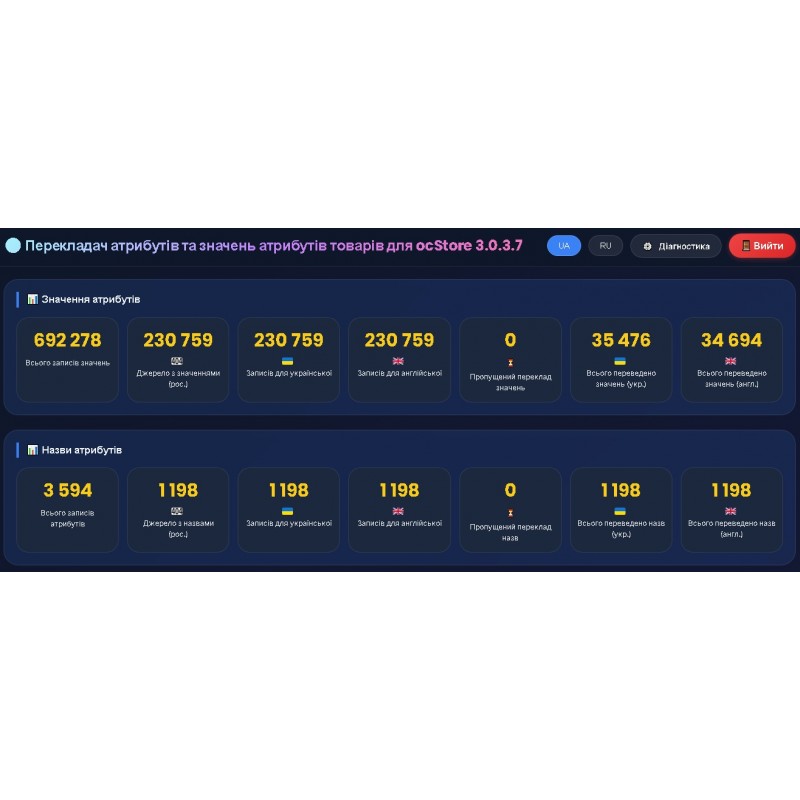
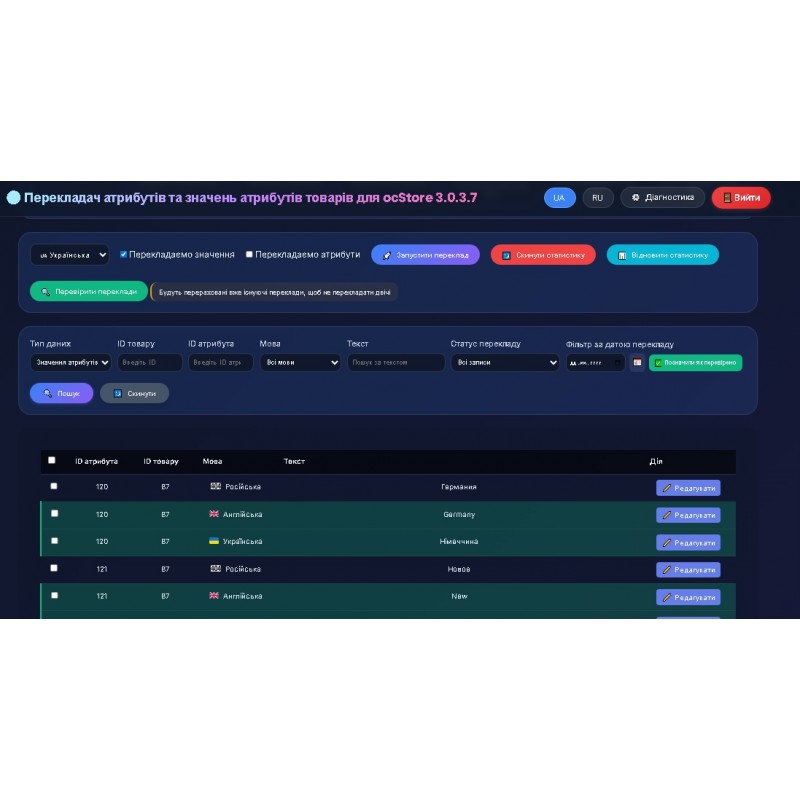


Attribute Translator — Intelligent Product Attribute Translation for ocStore 3.0.3.7
Attribute Translator is a professional PHP script for automatically translating product attribute values (sizes, colors, characteristics, etc.) from Russian into Ukrainian and English. The solution was created specifically for owners of online stores based on the ocStore 3.x engine who need to quickly and efficiently localize product cards without manual copying and hiring translators.
The script uses the Windows Azure Translator API (high-quality neural network translation), works through a web interface, supports batch mode, can resume interrupted sessions, and sends reports to Telegram.
Description:
Features:
Who is useful:
| Audience | Benefits |
| Owners of online stores on ocStore / OpenCart | Quick catalog localization without hiring translators. |
| SEO specialists | Improving ranking in Ukrainian and English-language search results due to unique localized attribute texts. |
| Web-developers / integrators | A ready-made, cleanly written solution without frameworks, easily modified for any task. |
| Marketplaces / multi-vendors | Translation of attributes of thousands of products from different sellers into a single format. |
| Large catalogs (10k+ products)CLI | mode and query limitation allow you to translate data sets without server crashes. |
Technical requirements for hosting / server:
PHP - 7.3+
PHP extensions - mysqli, curl, json, session
MySQL / MariaDB - 5.7+
Web server - Apache / Nginx + mod_php / PHP-FPM
Database access - Read/write to table oc_product_attribute
CPU resources + RAM - 1 vCPU, 1 GB RAM (for 10-30 thousand attributes)
Disk space - 200-500 MB (logs + JSON files)
Cron (optional) - Access to PHP
CLIExternal APIs - Microsoft Azure Translator API (key + region)Telegram (optional)
- bot token + chat ID
Write permissions - In the folder with the write script (logs, JSON)
HTTPS support - Not required, but recommended for authorization
securityYou get:
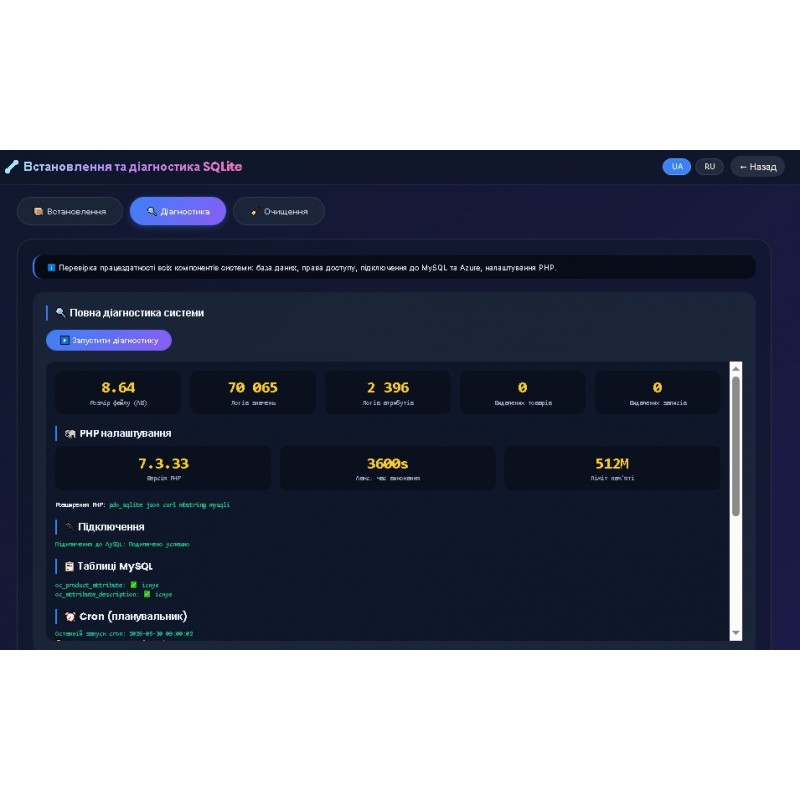
Diagnostics and maintenance (setup_sqlite.php)
Installation
Step 1. Upload files
Copy all script files to a separate folder on the server (e.g., /public_html/attribute/)
Step 2. Configure config.php
Edit the file config.php:
MySQL connection data (ocStore database)
define('DB_HOST', 'localhost');
define('DB_USER', 'your_user');
define('DB_PASS', 'your_password');
define('DB_NAME', 'base_name');
define('DB_PREFIX', 'oc_');
Login details for the script admin panel
define('ADMIN_USER', 'admin');
define('ADMIN_PASS', 'your_password');
Azure Translator API key
define('AZURE_KEY', 'your_key');
define('AZURE_REGION', 'westeurope');
Telegram bot (optional)
define('TELEGRAM_BOT_TOKEN', 'token_bot');
define('TELEGRAM_CHAT_ID', 'your_chat_id');
Step 3. Installing the SQLite database
Open in your browser: http:// your_site/attribute/setup_sqlite.php
Click "Install / Reinstall" - the translation_data.sqlite database will be created automatically.
Step 4. Check
Go to: http:// your_site/attribute/index.php — log in with your login/password from config.php.
Step 5. Setting up Cron (for automatic translation)
# Converting values into Ukrainian (every 15 minutes)
*/15 * * * * php /path/to/folder/cron_translate.php uk values
# Translating values into English
*/15 * * * * php /path/to/folder/cron_translate.php en values
# Translating attribute names into Ukrainian
*/15 * * * * php /path/to/folder/cron_translate.php uk attributes
# Translating attribute names into English
*/15 * * * php /path/to/folder/cron_translate.php en attributes
Recommended PHP settings
max_execution_time - 3600 (for web) / 900 (for cron)
memory_limit - 512M
Licensing The
script is protected by a license key. The license.key file must contain a SHA256 hash from the domain.
Update:
| Function | |
| Description Two translation types | Attribute names + attribute values |
| Separate statistics | Separate blocks for attributes and values |
| Filter by data type | Choose between values and attributes |
| Filter by translation date | Search for records translated to a specific date |
| Checked Date Marking | Quality Control with Visual |
| Indication Icon Hints | Intuitive Interface |
| Separate | translated_log_values.json and translated_log_attributes.json |
| Logs Separate | translation_stats_values.json and translation_stats_attributes.json | Statistics
*The script is designed for ocStore 3.0.3.7, but can work with other versions of OpenCart/ocStore if the structure of the tables is the same.*